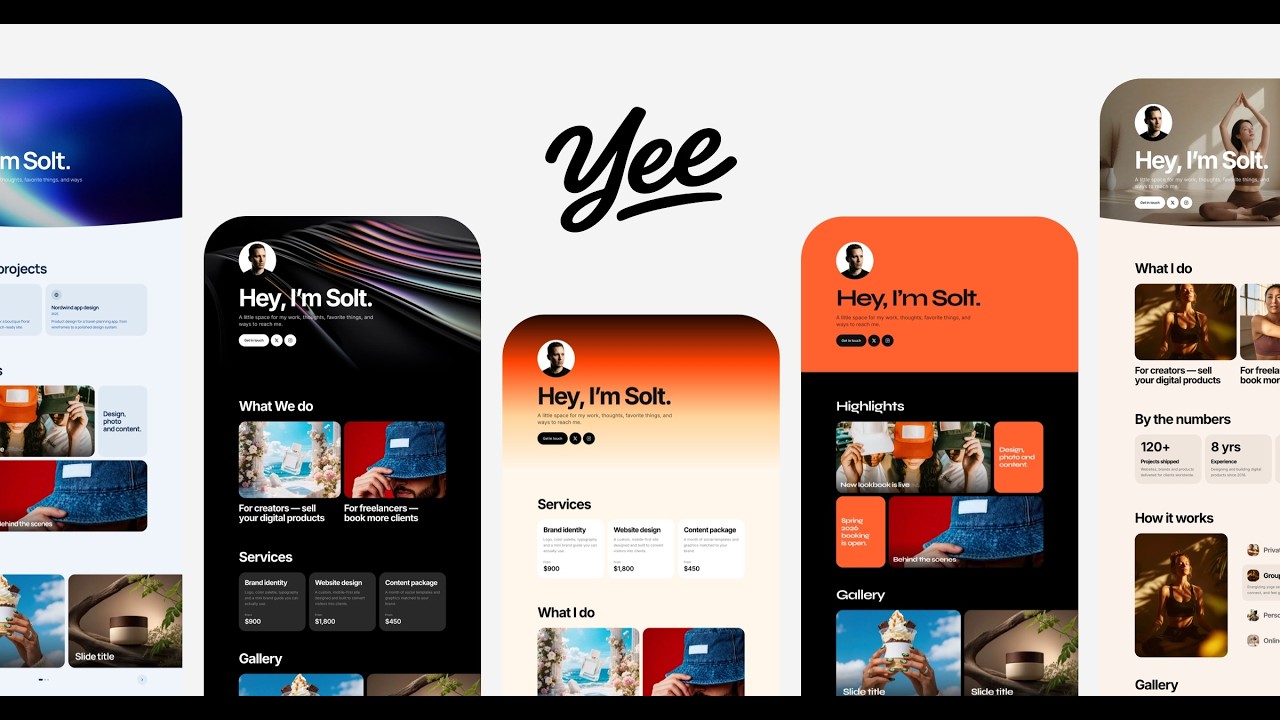
Themes with real design taste
Choose a theme, then adjust colors, fonts, corner shape and card style until the page feels like your own studio.

Link in bio for designers
Yee gives designers one page for case studies, services, templates and inquiries. Pick a theme with real typographic taste, make it yours and share one link from Instagram, Dribbble, LinkedIn and your email signature.
Built for designers
Clients skim. Show your best work first, make your services clear and give them an easy way to get in touch.
Choose a theme, then adjust colors, fonts, corner shape and card style until the page feels like your own studio.
Galleries and sliders keep images in their original proportions, so logos, posters and interfaces are never cropped.
Sell UI kits, fonts, Figma files or Notion templates with Yee Shop through your own Polar account, with no Yee seller fee.
A contact form with the fields you choose — budget, timeline, project type — lands in your dashboard.
Connect Cal.com so prospects can book an intro call without leaving your page.
Put your page on yourname.com with Pro, so the link in your bio is also your portfolio address.
What to put on it
Lead with the work, then say how people can hire you.
Pick a template, add your content, customize everything, and publish — no code, no complicated setup.
Start building for freeLive in minutes
No code and no hosting setup. Most designers publish in one sitting.
Start from a theme, or paste your Linktree, zaap.bio or Carrd link and bring your links, socials and colors over.
Drop in galleries, sliders and case-study cards. Every block is a section you can reorder.
Show what you offer, add a form and connect your calendar.
Instagram, Dribbble, LinkedIn, proposals — one address that always shows your latest work.
Free to start
Build your portfolio for free. Upgrade to Pro for your own domain, the shop, bookings and more — 29 USD for the first year.
Create your free pageIt is the one link in your social profiles that opens your portfolio, services and contact options. With Yee it works as a small portfolio website, not just a list of buttons.
No. Galleries and image sliders can show images in their original proportions, so your work is displayed the way you made it.
Yes. With Pro, Yee Shop sells digital products through your own Polar account with no Yee seller fee. You can also link product cards to a marketplace you already use.
Yes. Add a Contact section and choose which fields appear and which are required. Messages appear in your dashboard.
Yes. Every theme can be adjusted — colors, fonts, alignment, corner shape and card style — and the editor preview matches the live page.
Yes, with Pro (29 USD for the first year). Every page also gets a free yourname.yee.site address.
Yes. Paste your Linktree, zaap.bio, Stan Store or Carrd link when creating a site and Yee imports your profile photo, bio, links, socials and colors.